
Your shopping cart is empty!
 Robot and Robot Kit
 Robot Controller
 Servo Controller
 Motor Controller and Driver
 Computer Interface
 Sensors
 Arduino
 Arduino Shield and Accessories
 RC Interface
 Display
 Prototyping
 Voltage Regulator
 Miscellaneous
 Ball Casters
 Switches
 Servo
Servo LEDs
LEDs Headers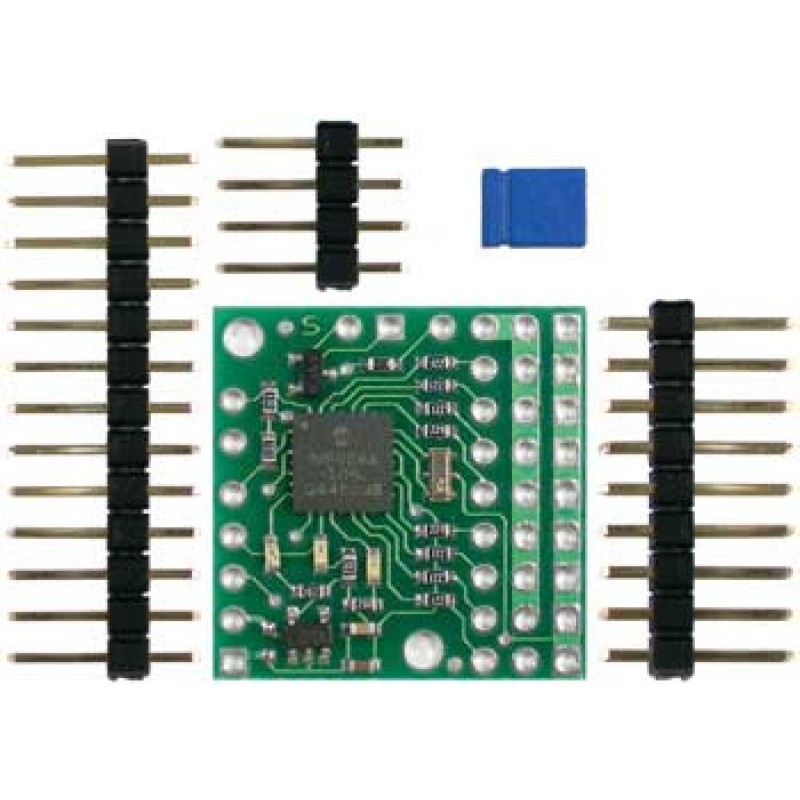
Pololu Micro Serial Servo Controller (partial kit)
Product Code: 00146
Availability: Currently Unavailable
Availability: Currently Unavailable
Price: $17.95
Note: Pololu has released second-generation Micro Maestro and Mini Maestro USB servo controllers, which are better than this product in almost every way.
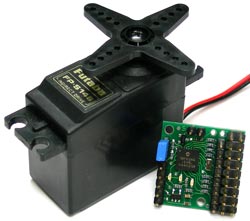 |
The Pololu micro serial servo controller (SSC) is a very compact solution for controlling up to eight radio control (RC) servos from a computer or microcontroller. The controller measures just 0.91" x 0.91", yet it is one of the most full-featured servo controllers available. Each servo speed and range can be controlled independently, the baud rate is detected automatically over a 1200-38400 bps range, and multiple units can be daisy-chained on one serial line to control up to 128 servos. Three status LEDs and an integrated level converter for RS-232 applications get you up and running quickly. The micro serial servo controller is dwarfed by even a standard servo, but it can control any standard RC servo, including giant 1/4-scale servos.
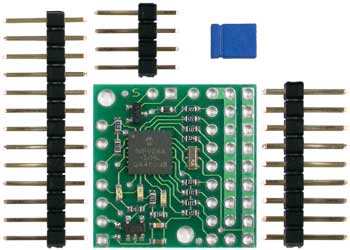 |
| All components included the Pololu Micro Serial Servo Controller Kit. |
|---|
The micro serial servo controller is available in two configurations: fully assembled with all connector pins, as shown in the main product pictures, and as a partial kit. The kit, shown to the left, has all of the surface-mounted components assembled. You can save some money and solder in the included pins yourself, or you can leave them out altogether and solder in your servos directly for a really compact installation.
This servo controller supports two separate communication protocols. One protocol is compatible with Pololu's other serial servo controllers and Pololu's serial motor controllers, and it offers individual range and speed control for each servo. This servo controller is also compatible with the Scott Edwards MiniSSC II servo controller and any software written for it.
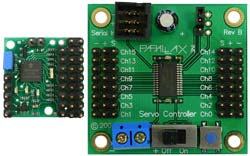 |
| Pololu Micro Serial Servo Controller next to a Parallax Servo Controller. |
|---|
The servo controller is less than half the size and price of most 16-channel servo controllers. This means that the micro servo controller is an ideal solution even if you need to control more than eight servos, as in the case of a six-legged walking robot. Having multiple smaller controllers means less of a wiring mess since servos in one section of the robot can be connected to a more local controller.
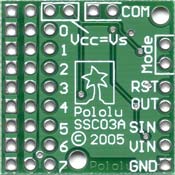 |
The back side of the board has all of the ports labelled, and two mounting holes allow you to secure the controller to your project. The logic supply and the servo supply can be tied together for single-battery operation, or the on-board voltage regulator allows the logic supply to be as high as 16V.
The Pololu micro servo controller is available fully assembled, or as a partial kit that requires soldering of the through-hole male header pins, which are included in the kit. To use the micro servo controller in robotics projects, you need to connect it to your own servos and main robot controller.
Device specifications
- PCB size: 0.91" x 0.91"
- Servo ports: 8
- Resolution: 0.5 µs (about 0.05°)
- Range: 250-2750 µs
- Logic supply voltage: 5-16 V
- Data voltage: 0 and 5 V
- Pulse rate: 50 Hz
- Serial baud rate: 1200-38400 (automatically detected)
- Current consumption: 5 mA (average)
Note: This product no longer ships with a printed user’s manual. The user’s manual can be downloaded as a pdf from the resources tab of this product page.
Powered By OpenCart
RobotSimple © 2026
RobotSimple © 2026